Cisco IOU License Generator (CiscoIOUKeygen.py) for GNS3, EVE-NG & PNET LAB
Step-by-step guide to generating valid Cisco IOU license keys, configuring IOU images in network simulators, and ensuring secure, legal lab setups for CCNA, CCNP, and enterprise network labs.
🌐 EVE-NG Setup
⚡ PNET LAB
Cisco IOU images require a valid license key to function in network simulators like GNS3, EVE-NG, or PNET LAB. CiscoIOUKeygen.py is a Python-based tool that securely generates host-specific license keys, enabling you to deploy Cisco lab images for learning, testing, and professional certification preparation.
1️⃣ Prerequisites for Using CiscoIOUKeygen.py
- Python installed (version 2.7 or 3.x compatible)
- Access to the CiscoIOUKeygen.py script from a reputable source
- Administrative permissions to write license files to
$HOME/.iourc - Understanding of your simulator environment: GNS3, EVE-NG, or PNET LAB
- Basic knowledge of hostnames and system hostid retrieval
2️⃣ Step-by-Step Cisco IOU License Generation
Follow these steps to generate a license key and apply it to your IOU image:
- Download
CiscoIOUKeygen.pyand place it in your working directory. - Open a terminal or command prompt and navigate to the script location.
- Run the generator with:
python CiscoIOUKeygen.py - Enter the hostname and feature set for your IOU image.
- The script outputs a license key tailored to your system.
- Create or update the license file:
$HOME/.iourcwith the generated key. - Optional: disable Cisco phone-home to prevent connectivity checks:
grep -q -F '127.0.0.1 xml.cisco.com' /etc/hosts || echo '127.0.0.1 xml.cisco.com' | sudo tee -a /etc/hosts3️⃣ CiscoIOUKeygen.py Example Script
#! /usr/bin/python
print ("\n**************************************************************")
print "Cisco IOU License Generator - Python Version"
import os, socket, hashlib, struct

hostid = os.popen("hostid").read().strip()
hostname = socket.gethostname()
ioukey = int(hostid, 16)
for x in hostname:
    ioukey += ord(x)

iouPad1 = '\x4B\x58\x21\x81\x56\x7B\x0D\xF3\x21\x43\x9B\x7E\xAC\x1D\xE6\x8A'
iouPad2 = '\x80' + 39*'\0'
md5input = iouPad1 + iouPad2 + struct.pack('!L', ioukey) + iouPad1
iouLicense = hashlib.md5(md5input).hexdigest()[:16]

print ("Create the license file $HOME/.iourc with this content:")
print ("[license]\n" + hostname + " = " + iouLicense + ";")
print ("Disable phone-home with:")
print ("127.0.0.1 xml.cisco.com >> /etc/hosts")
4️⃣ Legal & Security Considerations
Always adhere to vendor licensing policies:
- Use legally obtained Cisco IOU images.
- Do not distribute license keys publicly.
- Run the generator in isolated lab environments.
- Consider SNMPv3 and secure monitoring if deploying in enterprise virtual labs.
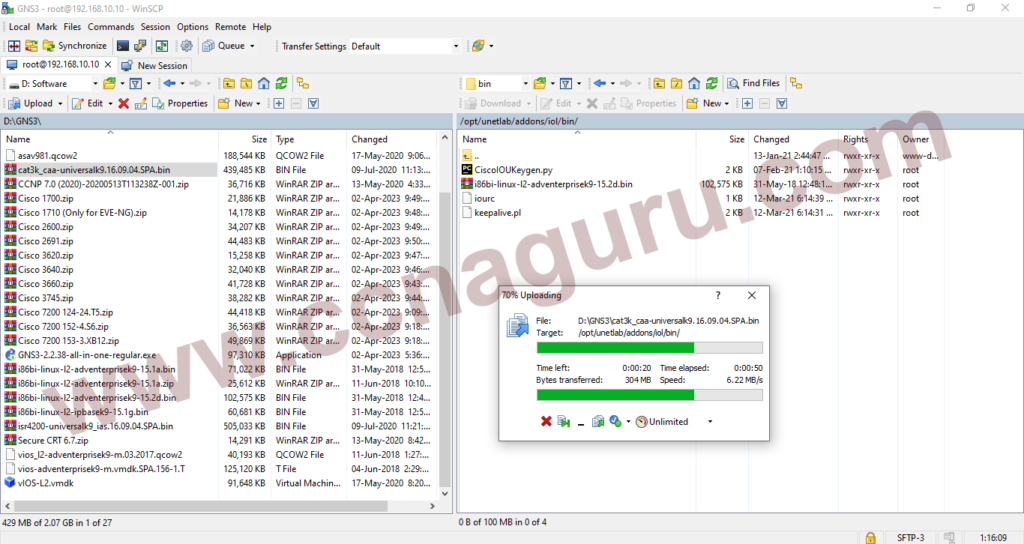
CiscoIOUKeygen.py generates valid Cisco IOU license keys for GNS3, EVE-NG, and PNET LAB.
5️⃣ Advanced Tips for CCNA & CCNP Lab Builders
- Combine CiscoIOUKeygen.py with CLI traffic monitoring to test QoS and NetFlow within your lab.
- Integrate license generation with automated Python scripts for batch lab deployments.
- Document each lab node hostname & license to maintain internal compliance.
- Use internal linking to cluster content like GUI Traffic Monitoring and SNMP Monitoring for scalability.
FAQ – Cisco IOU Key Generation
Do I need Python 2 or Python 3?
CiscoIOUKeygen.py works with both Python 2.7 and Python 3.x. Ensure all dependencies are installed.
Can I use this on Windows?
Yes. Use Git Bash, Cygwin, or WSL to run the script and access $HOME/.iourc path correctly.
Is it safe for enterprise lab simulations?
Yes, when run in isolated lab environments. Avoid using production routers with this key generator.
CCNA Classes in Dubai – CCNAGuru (Cisco Expert Trainer)
Join CCNA classes in Dubai by CCNAGuru, led by a Cisco-certified expert. Available for in-person and online classes with real lab practice, exam-focused training, and career guidance.
Introduction to Networks
Switching, Routing & Wireless
Enterprise Networking & Security
CCNA Training Across U.S. States
Explore CCNA Training Centers and Certification Courses across every U.S. state.
Connect with me: FB X IN YT TT WA
*All U.S. state pages are part of CCNAGuru.com's training network.